One job, end to end.
A whole-house job with LVP through the living areas and carpet in the bedrooms, from the measure to the signature. These are real screens, captured from a running copy of the app — regenerated on every release, so they cannot quietly stop being true.
Measure it, or type it
One line per room. Length and width, or a direct area for an odd shape. Hard surface and carpet sit in the same house and the engine picks by the material — not by the room. Or measure it on site with a Bluetooth laser and it arrives here already filled in.
How field measure works→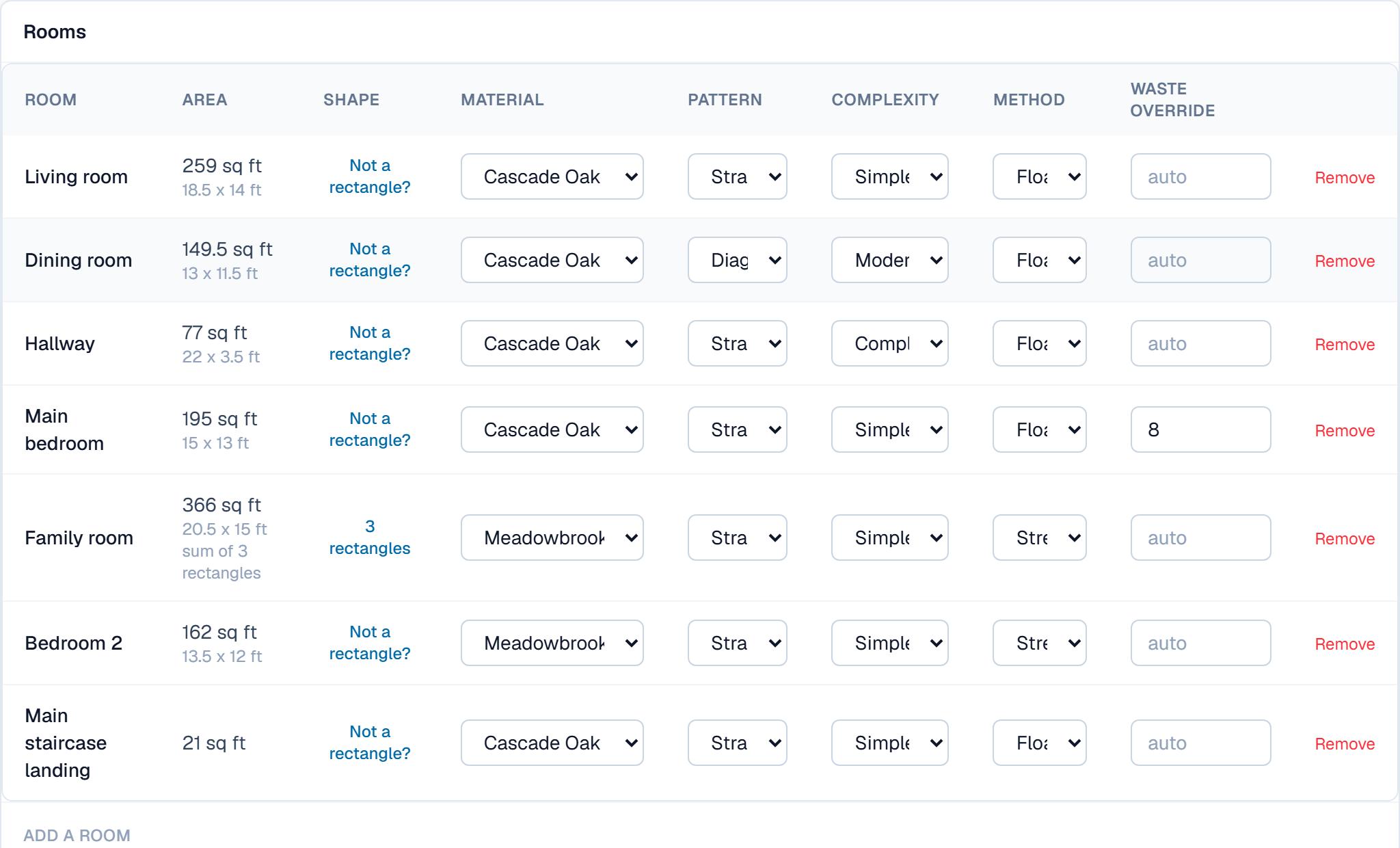
Hard surface: whole cartons, sourced waste
Cartons always round up and then get re-checked against the adjusted area, because ordering one carton short is a real failure mode in this trade. Every waste percentage opens up to the document it came from — and says so when there isn't one.
How the takeoff works→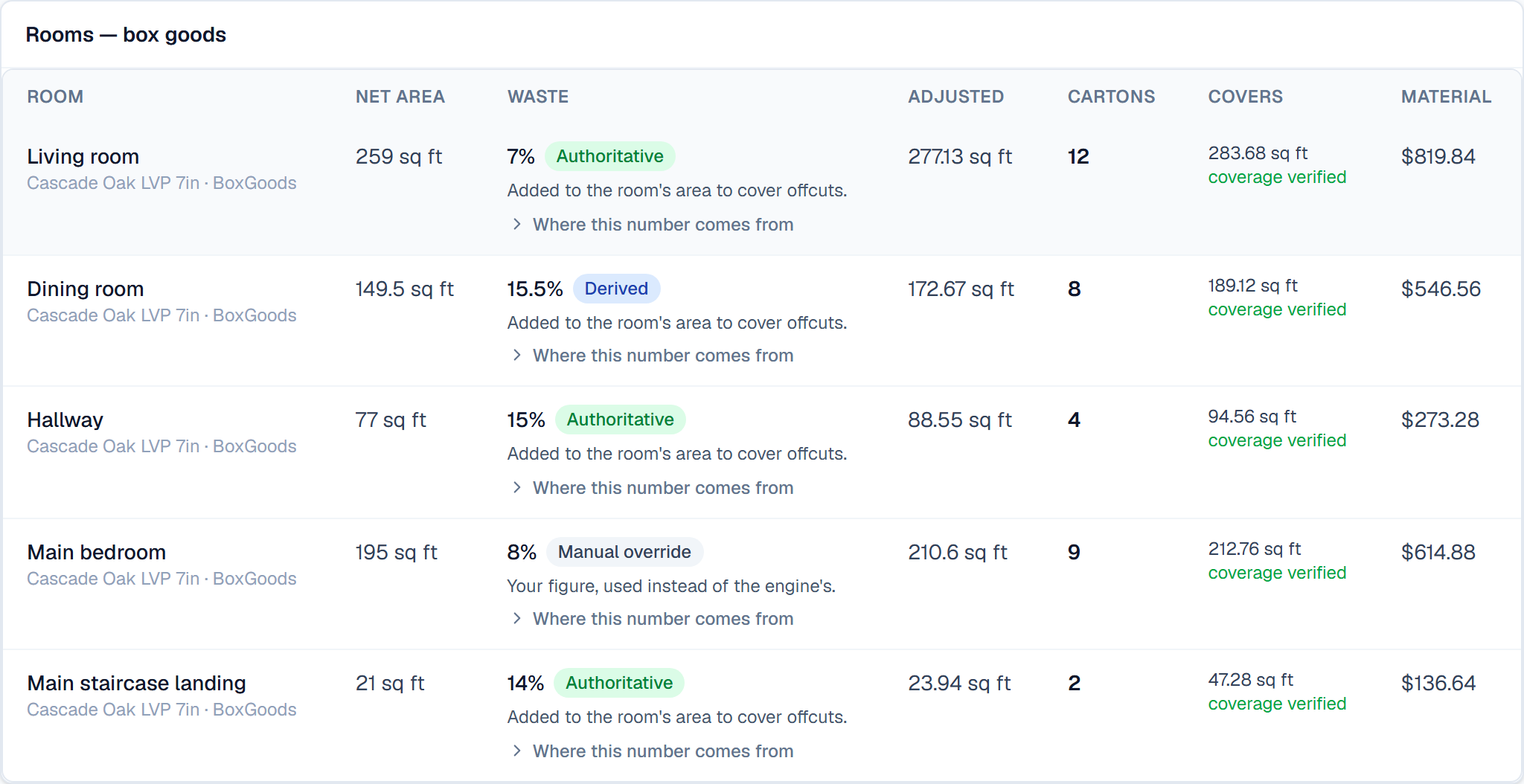
Carpet: a cut plan, not a percentage
Linear feet off your roll width, with the waste reported as the result it is. The seams are placed, the nap is held to one direction, and where the room can be cut two ways both are ranked — best install first, with the cheaper cut costed beside it.
How carpet takeoff works→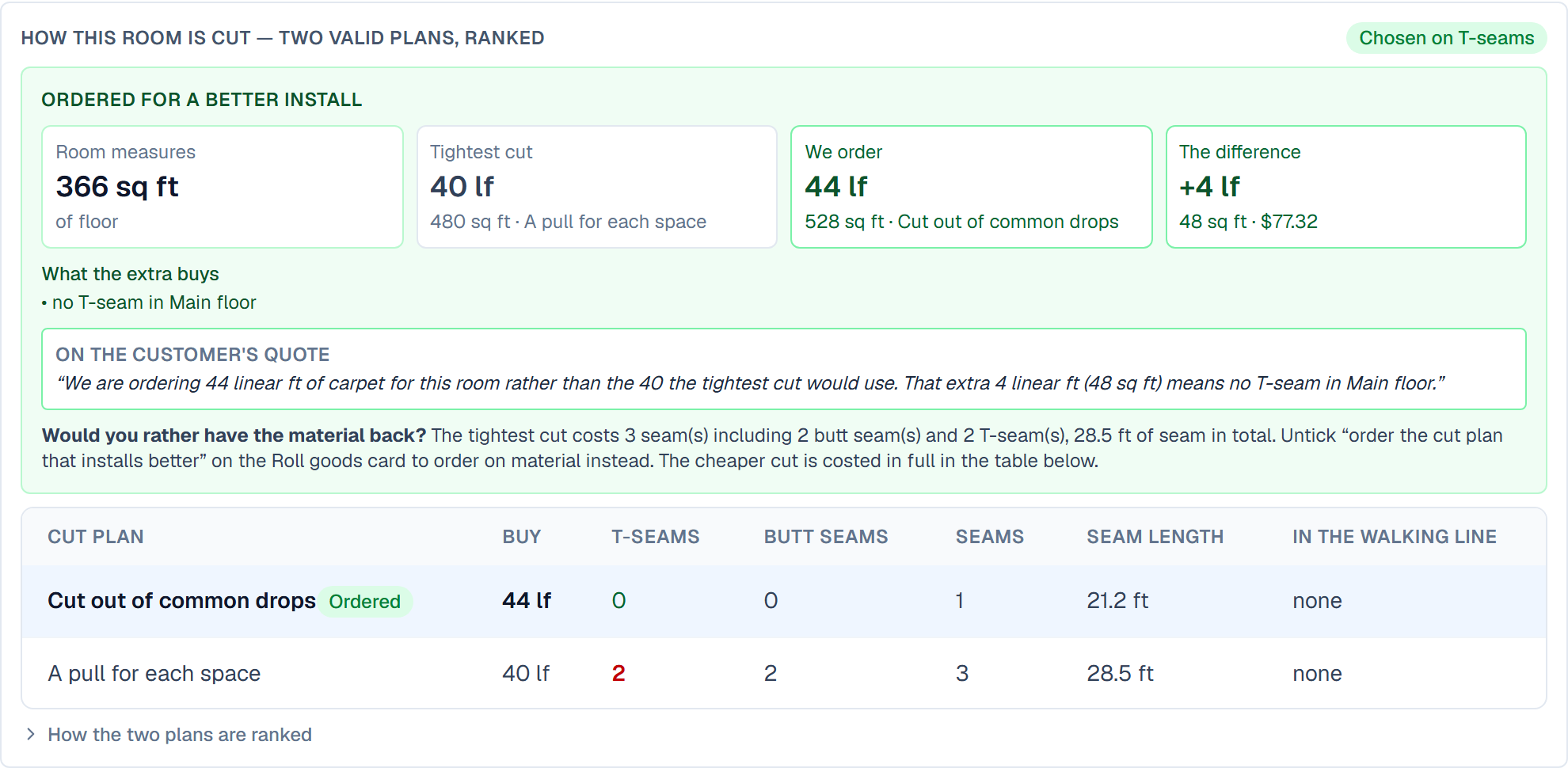
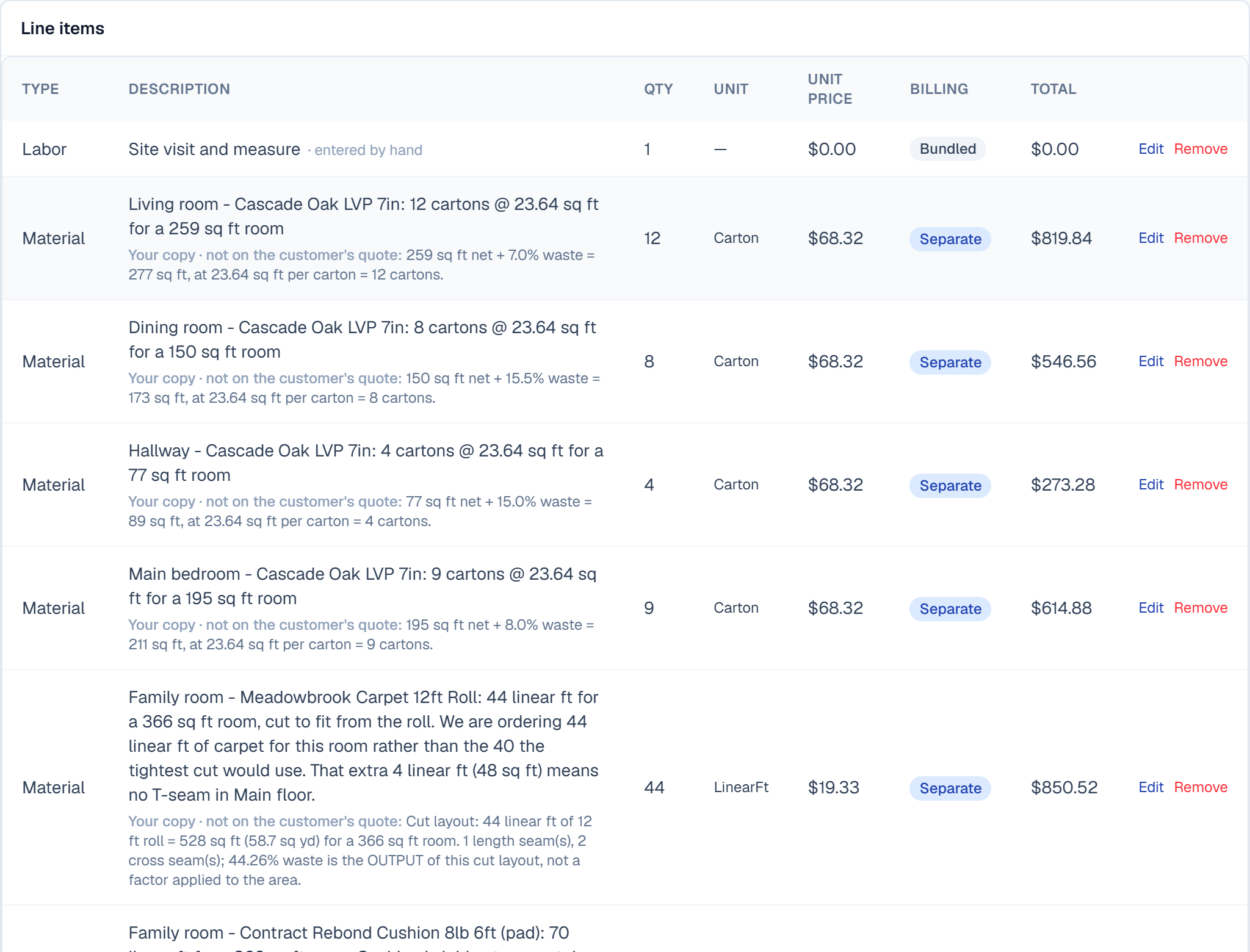
The takeoff writes the estimate
Cartons, linear feet, cushion, stairs per step and trim per stick, each line showing its working. The cut detail — roll widths, seam counts, your supplier — stays on your copy and off the customer's.
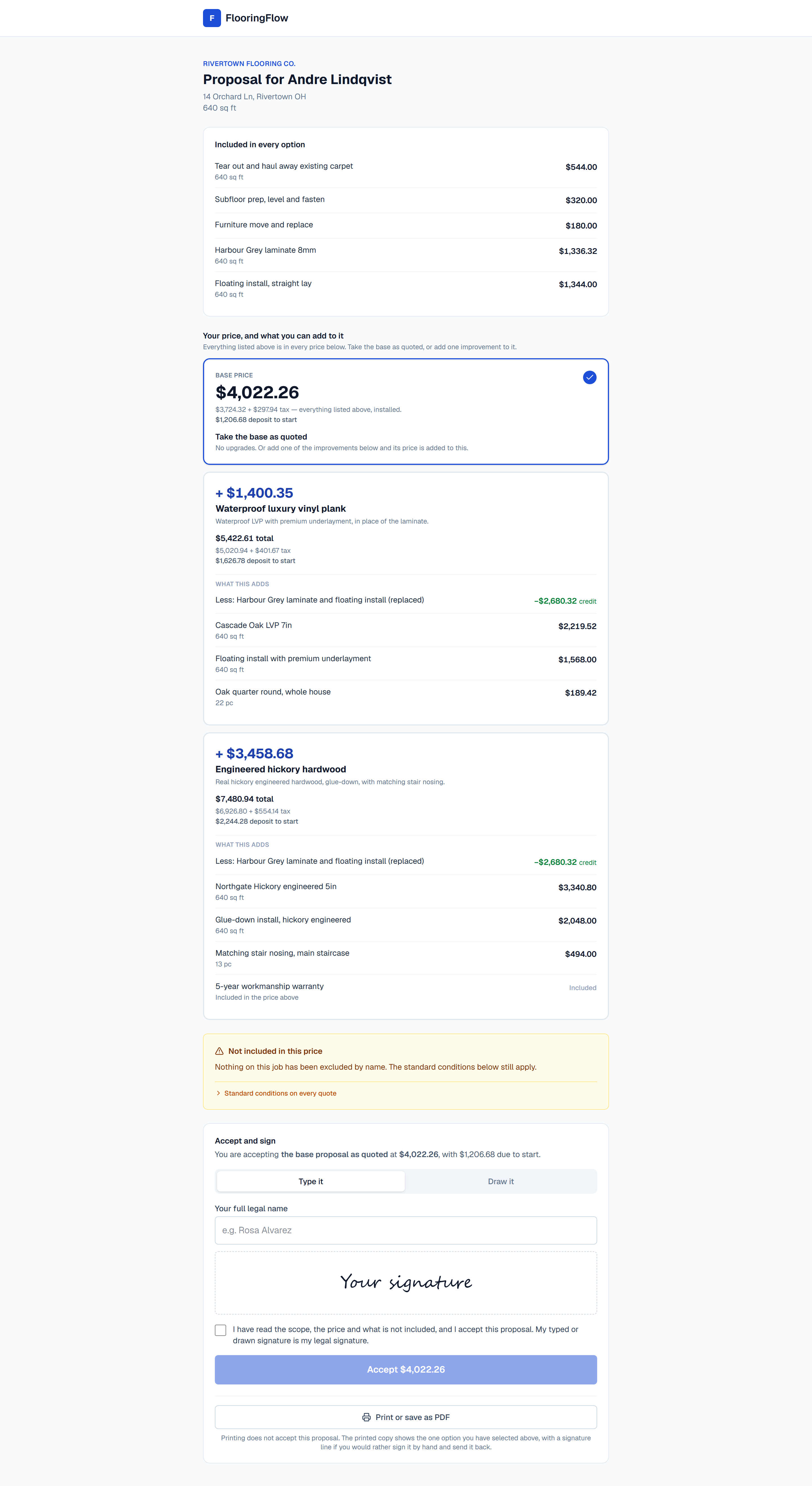
They pick and sign on their phone
One base price for the job, then the upgrades worth offering priced against it — a heavier pad, a better material — each showing what it adds and what the job then costs. Everything the base already includes is listed once at the top, so nothing looks missing from it. No login for them, no app to download. Exclusions print on the page they sign.
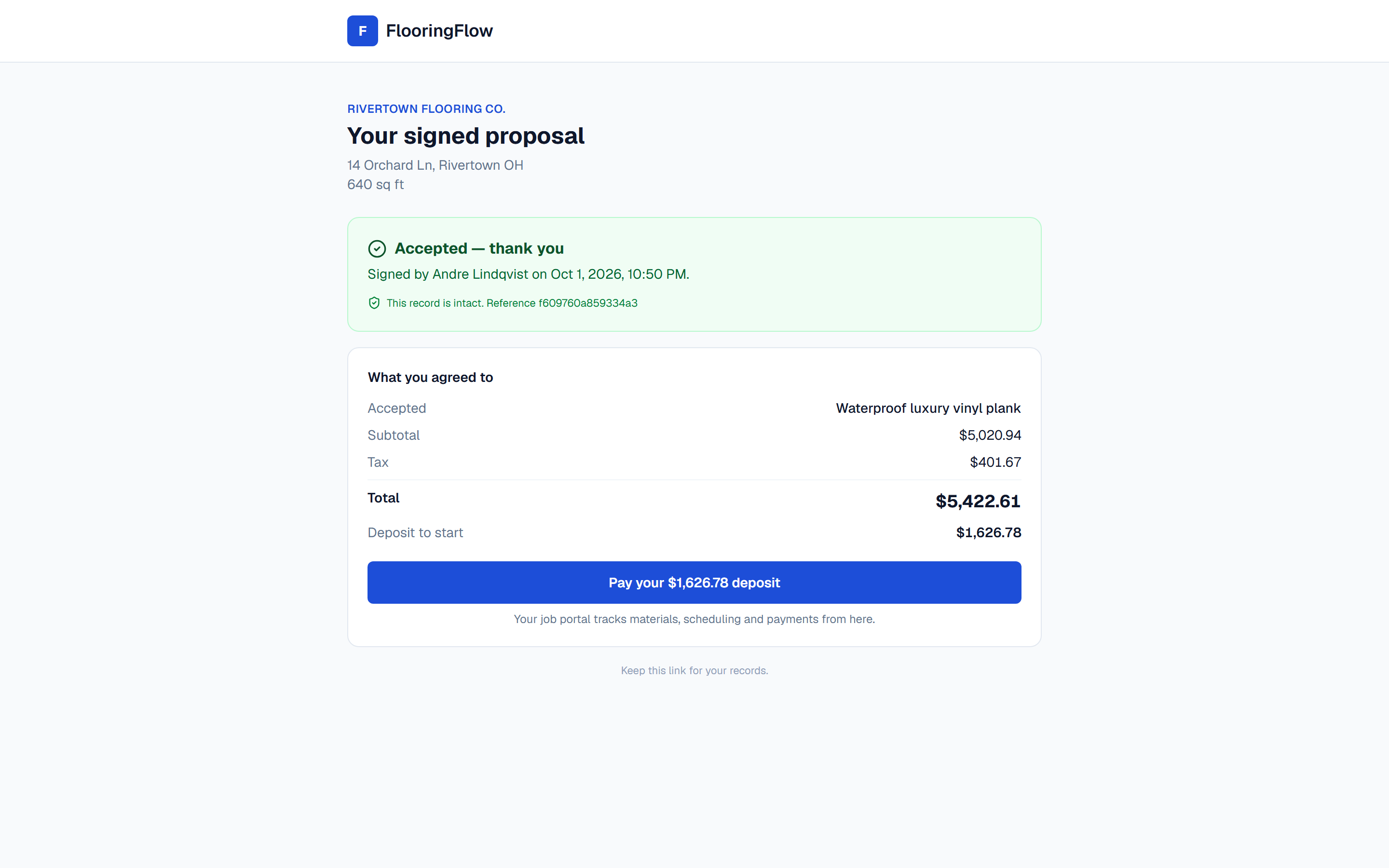
Signing creates the job
The signature is sealed together with the exact wording and price they agreed to. On your side the estimate is approved, the job exists, the deposit and final invoices are raised, and the crew's checklist is ready.
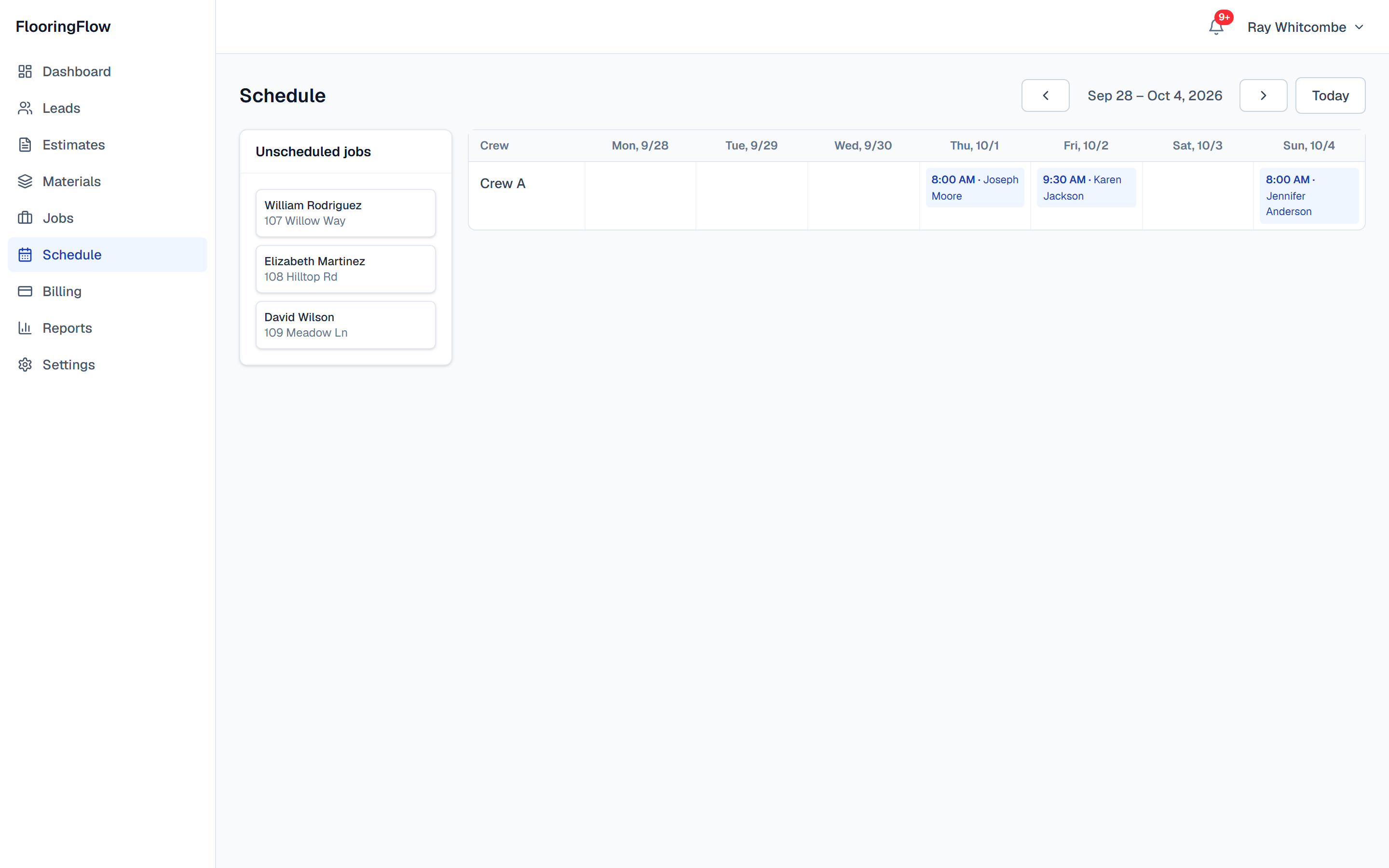
Then it's a week on the board
One row per crew. Only jobs whose deposit has actually landed queue up on the left, so you cannot book work that has not been paid for.
And this is what goes in the van
The cut plan, drawn to scale.
Every piece on the roll it comes off, the seams marked and labelled with where they fall, and the nap arrow on every piece with do not turn any piece across the top — because that is the rule the whole layout rests on. It carries the room, the material, the roll width and the linear feet, so it stands on its own without the screen it came from.
How carpet takeoff works →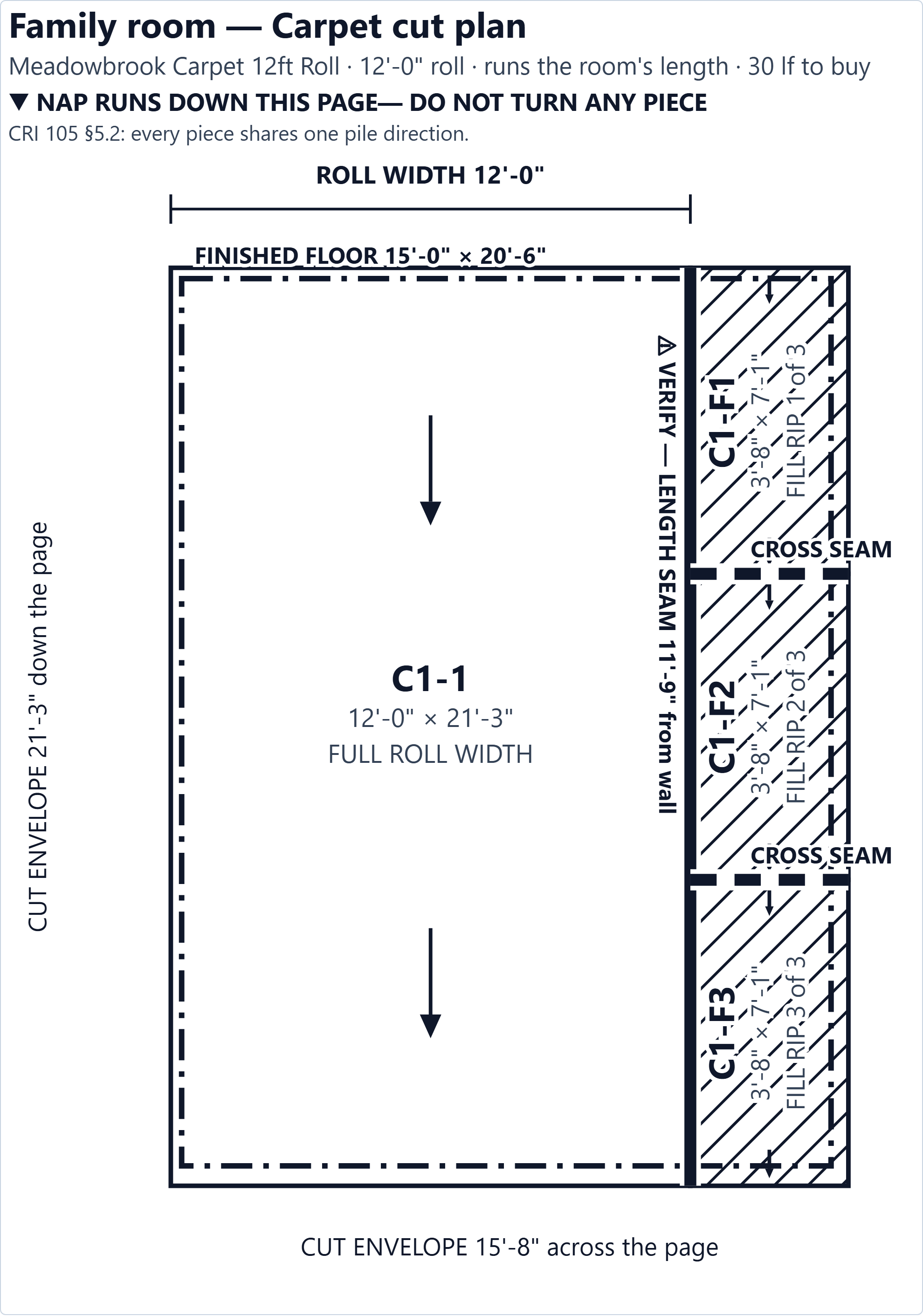
Rather have someone walk you through it?
Tell us about your business and we'll set up a live walkthrough. Or skip it entirely — the free plan needs no card and no call.
Want every screen instead of seven? Read the full user guide — the same job, screen by screen, captured from the same run.